I thought this post was satire until about 75% of the way down..
That said, his point about installing programs is spot on for people from the Windows world. It makes sense in a UNIX-y way, but it's totally counterintuitive if you've come from Windows. I found it odd the first time, then grew to love it.
It is counterintuitive. Fortunately, after I got my Mac, the first few programs that I installed had a giant "Drag the Application Icon to your Applications Folder" message when I opened the .dmg file. After the first time, I got it. Admittedly, I thought it was kinda silly the first time I did it. But now I really like it.
I personally found it more intuitive than the windows method. You don't know how many people you hear about screwing up windows some way because they just thought deleting the folder in program files would be enough. Or thinking that the shortcut is the program and deleting it would uninstall it. All those explanatory message boxes that come up in windows comes from common mistakes and misconceptions that show up in user usability testing.
Mac: The application is a file. To get rid of it, just delete it like a file.
Windows: You have to run a program to install it, and run a program to uninstall it. Do it any other way and
The mac paradigm is a bit leaky although, with .pkg files and what not. The .dmg distribution method is a bit annoying, but it allows developers to add fancy graphics when people install their programs.
Ubuntu/Debian which is more UNIX-y than MacOS in some ways has none of this. Software installation and uninstallation is a breeze.
In my 2 months of experience with the Mac, I have found that the Mac is very appealing when it's new. It's beautiful, but sometimes it feels like Steve Jobs prefers form over function a bit too much.
He later happens onto one reason the process makes sense: uninstall just by deleting the application file. He is confused about how to install an app because there is no installation. You just put the program anywhere you want (the Applications folder thing is really just a suggestion) and double click to run. In fact, you can even run directly from the disk image, which Matt did without realizing at first that was what he had done.
So, the reason the Mac approach seems strange is because it makes the whole install/uninstall concept just go away altogether. Perhaps a suitable HN metaphor: it eliminates an onion.
Using a package manager or manually grabbing the files and building it IS basically like dragging files to an Applications folder.
You have all your files for an app in one known spot. That's all there is (excluding environment variables). What is non-unixy is installing a bunch of garbage into a registry (did I mention I hate registries?).
No, using a package manager where you select the app you want is NOT like dragging and dropping executables into some magic location on the filesystem.
Package management is modern UNIX-y. I'm talking about the process where you download a single file that contains an application (a disk image or a tarball, say) then perform a process to install the app (dragging or "./configure && make && install").
These OS X / UNIX techniques compared to Windows' "download an EXECUTABLE that does all the installation for you" is like night and day.
I think both install processes suck, in their own ways.
Mac does due to all the reasons listed by the article.
Win sucks (at least circa XP, I haven't touched Vista) in that each installer is often still inconsistent and unique in its own little annoying ways. Plus you have issues with apps putting shared files all over, in different directories, so uninstall is a mess. Mac install is better in that regard, since uninstall usually means dragging the .app to the trash.
Mac is equally inconsistent (contrast the drag-and-drop approach with, say, any Adobe installer). And you can't merely remove the App folder from the Applications directory: most applications write many preference files elsewhere.
"First you download a dmg file which, when clicked, creates a virtual drive. On the virtual drive is the program, which you then have to drag into your Applications folder. Then you have to unmount the virtual drive and delete the dmg file from your desktop"
"There’s no way that anyone could guess this procedure"
You are kidding right? My wife guessed this. My 9 year old can do this. It's brain dead simple, and makes perfect sense - you can see what stuff is there before you install. You can read a readme sometimes before installing.
I think it helps when trying something new, to have an open mind. Instead of just saying "eugh! this is different. It must be bad"
I have no idea how you delete applications on a Mac either. You have to go to Applications and delete that folder you copied to your Applications directory?
It is much better having an 'uninstaller' that does a half-assed job at removing things from the registry and cleaning up files.
Matt I realize trolling can feel good on the short term but people will give you more respect in the long run if you are sincere.
Having used dos/windows for 17years, linux for 11 years, and mac for only the last 2, I wouldn't call myself a fanboy.
I use what works best for me.
Personally, I think dragging an application into your 'Applications folder' is pretty damn intuitive. I'm not sure quite how much simpler you could get. ok, it takes a couple of minutes to understand that it's mounted a disk image and you should unmount it, but after that you think "Yeah that's actually a nice way to do it".
dual monitors (which, by the way, you shouldn’t even bother attempting on a Mac. My cofounder has to close the lid when he hooks his MBP up to a monitor).
Funny, my cofounder's MBP works just fine with a second monitor.
The window maximizing thing is probably my biggest single annoyance when using a Mac. I've noticed that some people hate maximizing windows, and prefer having them smaller and overlapping, I guess to be able to see the contents and make switching between them easier. I'm the opposite, I need my windows maximized - I don't ever want to deal with moving or resizing them, alt-tab or the taskbar work just fine for me. I guess Macs work great for the first group of people, but not for me.
"The window maximizing thing is probably my biggest single annoyance when using a Mac."
I can't tell which people understand the philosophy of window maximizing on the Mac and don't like it, and who finds the behavior just random, so let me explain:
The Mac UI assumes the point of maximizing a window is to see all of its content at once, so enlarging past the size at which all content is visible at once is unnecessary. This can be nice, once you understand what it's doing and are used to it. If you understand this and still don't like it, that is your prerogative, too, of course.
That does seem consistent with what I've seen, though I hadn't consciously realized it.
I still have trouble seeing how this philosophy can work for something like Word or even Firefox, where the content reorganizes itself to fit the window - I could swear Macs don't always make a window full-screen in these scenarios. And you can still move a "maximized" window, which is also annoying.
I'll keep this in mind next time and see if it helps me.
Pretty common complaints about the actual OS for people who are used to windows. You just have to get used to the idea that windows float and that it's not really designed to have windows maximized. I was pretty used to the interface after a month or so, I started in late 2003, so Panther was out by then and Expose helped out a lot.
I have to disagree with running 2 monitors, I've done it for a couple years now and have never had any usability issues.
However, the Apple store comments are pretty much dead-on. I'd rather just order online or go to a reseller then deal with the Apple Store.
it's not really designed to have windows maximized
I've heard this line before - people say it as if something disastrous would happen if Apple gave in and made the green '+' a maximize button... so far nothing's coming to mind.
(btw, I haven't used windows for anything other than testing IE for about 9 years, and I still hate Apple's choice regarding the 'zoom' button).
The disastrous thing is that it would be less useful to have a maximized window be 10x the size of its contents. For example, IMO the behavior of safari on maximize is just beautiful, because it's tailored to the specific website you're viewing.
If the application is a window into your data, why make that window bigger than necessary, thus obscuring your desktop, or some other window behind it? That may not be disastrous, but I think its intent makes sense.
Without further explanation, I end up suspecting that when he writes: "it almost never does what you’d want or expect it to," the emphasis is on his expectations as a Windows user, not on what he would prefer, all things being equal.
[and for the record, I'm speaking as an Ubuntu user, who has never owned a mac]
In which case you simply hit Cmd-Shift-H (or select 'Hide Others' in the app menu), which hides all but the active application...
Personally though, I generally just use Spaces to have different screens containing only applications that I want to use together. So I'll have a programming doc open in Preview, next to my XCode project window. Or I'll have a web browser open with Textmate if I'm doing something with Rails. That way you only have the apps that you are interested in on screen in any given 'space'.
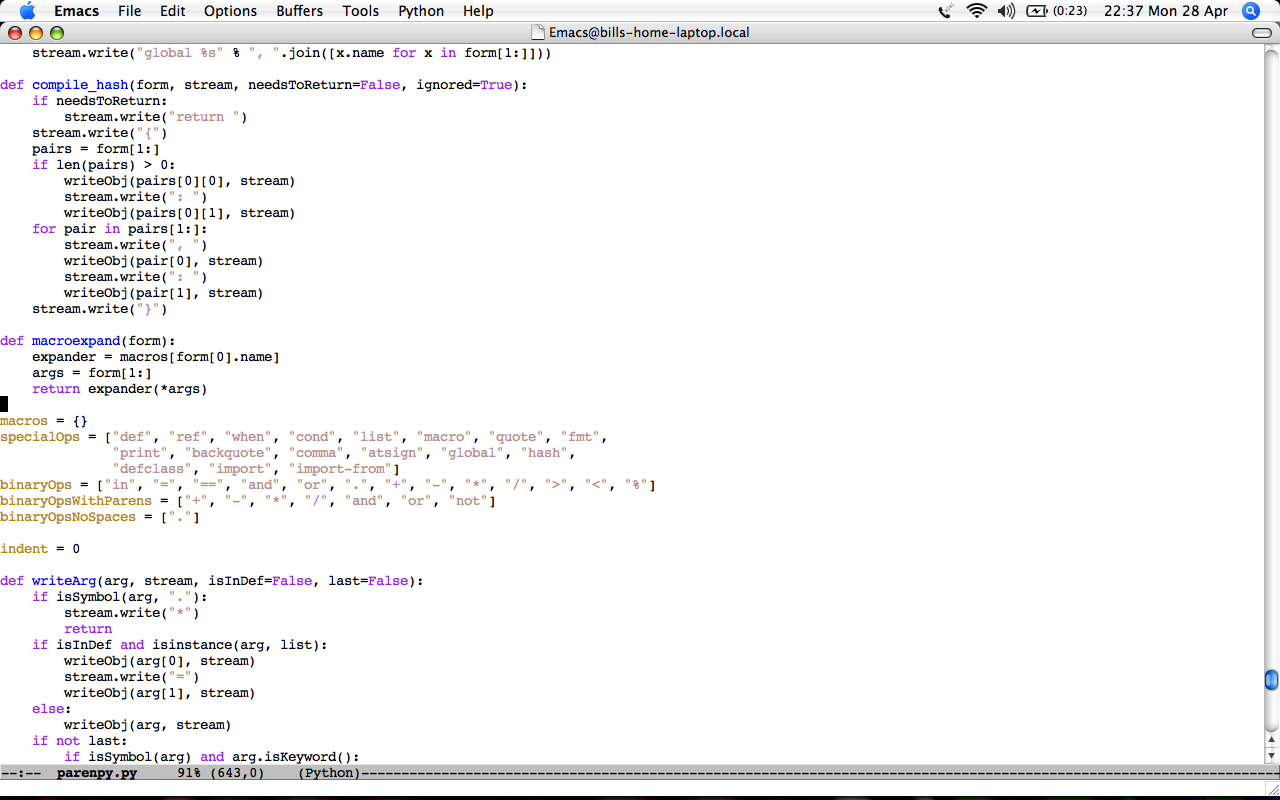
If emacs wasn't taking up the whole screen, I'd have a scrollbar running down the middle of the screen, which would be really visually distracting.
I used virtual desktops a lot back when I used Linux for my desktop os. They're great, and I'm sure I'll use them again when I upgrade from Tiger. But, for me at least, they're no substitute for maximization.
Yeah, that is more of a "this is possible" thing :) In "real life" i use the same size screen, but with the right third consisting of an irc window, REPL, and terminal; and the other two-thirds 2 or 4 files of code.
I pity someone who spends more than 90% of their time in emacs. In fact, I pity anyone who spends 90% of their time in any text editor. Googling for things alone probably takes up 10% of my time, plus the time spent in my app, plus the time spent doing none of those things.
Cmd-Shift-H actually sends you "home" if that option is available. Opt-Shift-H hides others. The lame thing about hide others is there isn't a built in key command to show all.
Not bad, but if I have to think about it or Google it, it's counterintuitive. Windows just saves your passwords in the app if you tell it to. On OSX, they save them in a keychain and require me to put in my keychain password every time. This doesn't save me any typing.
Perhaps that's why mac is just a tad more secure. Would you rather a unified system for managing your passwords, or just have applications store them in plaintext files?
When I switched to mac I was actually pretty impressed that such a thing existed.
Call me a cynic, but I think you decided you hated macs way way before you ever tried one.
No, but it does let you just remember one password you change regularly while allowing you to have different complex passwords at each site. So it allows you to have better security for lower costs. The point isn't to save you typing, its to let you have better security for the same typing.
(You can put a password on boot and wake from sleep and turn the password off your keychain, too, if you prefer not to type it every time, at a cost of having your passwords exposed if you leave it on and someone steals a minute on your computer.)
Sage advice from a high school friend: "If you can use Windows, you can use Linux. If you can't, get a Mac. While you won't be able to use it either, at least it'll look pretty."
Upmodded you because i don't see why your comment points should be negative, but let me assure you that your 50 year old aunt won't be able to install MythTV or whatever on windows either, it depends on the app, not the OS.
I did learn. That doesn't mean most people could figure it out on their own. It's very complicated to install programs on most Linux distros. Any non-programmer would give up in frustration.
>It's very complicated to install programs on most Linux distros.
Maybe that's true for MythTV, but for most programs Ubuntu has the simplest install/uninstall process in the world. In fact, its package manager is the "killer app" for me that makes me dread using other operating systems. If I want a new program, I just go to the "add program" menu, search for the program by name or browse by category, click a box, and wait for it to install. To uninstall the program, I just unclick the same box. There are no shortcuts to missing or moved programs, no cluttered desktops, no mystery programs that don't show up in the "add/remove software" menu. It's slick.
Of course, you've stated that you haven't used Ubuntu, which just happens to be the most popular Linux distribution in the world, so you and I can both agree that your experience is incomplete.
I was mostly referring to your dislike for the "copy apps to the Applications folder" on OS X. It's not that hard; in fact I think it's one of the nicest parts of OS X. (and I'm not a Mac user, BTW.)
As for Linux... I posted something like this earlier; if you can't learn to use your software, then you're going to have to pay someone to write easier-to-use software. You act like it's the end of the world that software you didn't pay for doesn't work exactly like you want.
It's not hard to install applications on a Mac once you know how. It's just very counterintuitive, and a little tedious.
I don't think there's anything wrong with Linux being hard to use for the average Joe, and I certainly wasn't complaining about it. You're totally missing the point. The original quote was "If you can use Windows, you can use Linux." For 99%+ of the population this is untrue. Any moron can get around Windows with no prior instructions. They might not be editing the registry, but they'll be able to download and install programs. Not so with any Linux distro I've ever seen (haven't used Ubuntu yet).
It may be true for people who have been 'trained' to use windows.
If you start with a fresh person though, using linux is pretty simple. My kids all grew up using linux (No windows really allowed in our house).
"Any moron can get around Windows with no prior instructions."
Really not true. How often do people search and search for the right sub menu to change some hidden setting? What about the constant registry issues not to mention viruses etc
99% of the population don't download and install programs. Sorry, but they don't. So your argument makes no sense. For 99% of the population, as long as they can run firefox, office prog + email, they're all set. In which case Windows, Linux, OSX all work for the average joe.
You're seriously crazy if you think 99% of people don't download and install programs. I mean, you have to download and install flash, and >99% of people have that.
Everyone under 50 uses bittorrent or emule or something to pirate music. Do those programs come installed?
Everyone under 50 uses instant messenger. Is AIM installed by default? How about Skype?
"Any moron can get around Windows with no prior instructions."
Totally untrue. Give a Windows machine to someone who doesn't know anything about computers, and watch them fail. My parents bought a nice (~$3500) computer in 1998 and I set it up for them. From then on, Handholding Central. My dad couldn't figure out much on his own, and his wife was only a bit better (and only because she'd used a Windows machine at work sometimes).
When they decided that they needed to upgrade in 2006, I strongly recommended a Mac Mini to them. They bought that, and it took about 2 hours of instruction for them to know their way around, and I get a LOT fewer calls now.
Just an anecdote, but the point is that the fact that you've learned so much about Windows does not mean that Windows is naturally easier to figure out. My own switch, in 2003, was much more difficult, but that's partly because I was coming from Gentoo, and there were things I used all the time that couldn't be exactly duplicated ("select to copy" is something I still miss).
I think installing programs in Linux is easier than Mac or Windows, but it is fundamentally different.
You do all of your installing and uninstalling from one application, called "Synaptic Package Manager" in Ubuntu. It works really well as long as you figure out you need to launch Synaptic to install anything.
that's probably because GNU/linux programs must/can run on windows (emphasis on GNU)
other OS like OpenBSD doesn't give fuck about windows users. It's just created and used by and for themselves (altho others port it to virtually every os - OpenSSH? )
and no, i feel no hate from OpenBSD people toward windows users, at least not as much as linux users' in forums -- maybe if u really love what you do, you have no time to criticize others shrug
to me, OSX is also created for windows users (people who are less computer savvy) so i feel it's lacking (i use tiger for 3+ years)
Never had a problem with dual monitors aside from the fact that now the adaptor isn't bundled, and the DVI cable they will try to sell you first at the Mac Store uses a pin layout that no monitor or cable sold actually uses.
The maximize button is indeed bizarre. I just maximized safari and it made the window 2/3 the size I had it and shifted it to the left hand corner of the screen. Then I "maximized" iTunes and it sent it into mini mode. Maximizing iChat seems to switch the buddy window from a skinny column to a wider, but shorter rectangle.
Not sure why installing problems is so hard, my grandma and 11 year old cousins have no problems with this. However, every die hard windows switcher can't seem to figure it out.
Fonts are a matter of taste and Windows users have none. But that's OK! MySpace is the #1 social network, NASCAR is the #1 sport in America and Bill Gates is the richest dude around. Taste doesn't really matter as much as people who have it would like to think...
Also NASCAR isn't number 1 by most metrics. Revenue, attendance, TV audience. It's second or worst by any meaningful measurement. That line is bandied about frequently but has no real truth to it.
I dunno about that. The biggest baseball stadium in the US has about the same seating as the smallest NASCAR track. The biggest nascar track has five times as much seating. (250K @ Indy vs. 50K at Coor's field) It has to be #1 for attendance and at least number 2 for TV audience.
I do know about that. Baseball has 30 teams that play 162 games per year each. It's far and away the most attended. I seem to remember them selling about 80 million tickets a year. I believe NASCAR is around 5 mil total.
NASCAR probably does have the highest average viewers at live events (they do have crazy amounts of seating) but they can't compete with baseball's 2400+ games per year. NASCAR has just over 110 events per year if you count Sprint, Nationwide, and Craftsman truck series. (I could be wrong on this, but I'm close. Pretty sure it's one race per series per week for 9 months.)
So NASCAR isn't #1 by any metric any person would normally use to define it. In fact, the Yankees alone sell almost as many tickets as all of NASCAR put together. The NFL, NBA, and MLB all outsell NASCAR by over 5x in terms of tickets.
NFL and MLB are also dwarf NASCAR in terms of revenue. Both are near $6b, which is roughly 3x NASCAR. (This also means that the NFL's average revenue per game is about 10x MLB).
It's hard because it's far more complicated than clicking an installer. I outlined the procedure. Anyone can do it once they understand it, but how would you ever guess to mount a virtual drive (most people wouldn't even understand what one is) and then the rest?
.dmgs threw me for a loop the first time I tried a Mac, as well. If somebody had just told me "they're compressed loopback devices" I would have understood (I was coming from Linux), but I was expecting them to be like tarballs and spent a while confused.
I think it is only hard because your brain is thinking in terms of virtual drives and installers. For my grandma and my 11 year old cousins both types of installs are simply clicking various things on the screen until stuff works and are essentially equivalent.
My brain is thinking in terms of click the file and click ok vs. click something, figure out how to get the application, figure out where to drag it, do so, then try to get rid of the original file.
Some installers make the process easier with the little window that shows you both icons and tells you to drag the program icon to the applications icon. That's still far more complicated than Windows, but a lot better than most Mac programs, which don't even give you that.
DMGs auto mount by default if you use Safari (which the kind of people you're worried about would be doing). When they do, the window also automatically opens presenting them right away with the application.
In the best case, they could just click on it and the right thing would happen. This works, but the results aren't what you'd expect usually, since the app will go away once the dmg is gone. The exception to this is Delicious Library 2 (unreleased), the only app I know of that will tell the user the app was loaded from the disk image, and offer to put it in /Applications for you.
In the second best case, you are given the shortcut, and you manually drag it yourself. Then you click applications, and then you click the app. Perhaps a little convoluted.
In the worst case(and by worst I mean, worst assuming the standard default configuration), you aren't presented with the applications folder link and you end up dragging it anywhere -- perhaps the Desktop. But, if you do that, the app still works! That's the beauty of the app bundle, it doesn't matter where you launch it from.
Could the whole process be refined? Yes. And developers are actively making it better (just like they are actively making things like upgrades better with Sparkle). I for one, though, still think its much more friendly than any windows installation with its ridiculous wizards, shortcuts added to four different locations, and the mess that is the windows registry.
Apps packaged in DMG files is sort of an odd artifact of OS X's past. Early versions of OS X didn't really have support for various archive formats in the GUI, and so the DMG format was the best option that worked out of the box. Now with 10.5 you can use a whole plethora of archive formats. Heck, you can send someone an app in a .tbz2 and it will unpack as expected with a simple double-click.
(I may be remembering this all wrong; someone please correct me if that's the case.)
OK, this guy obviously went into this experience not wanting to like the mac.
First of all, installation is a no-brainer. Once you click a link for an app, Safari downloads and automounts the dmg, leaving you with the simple task of dragging it into the application folder. How is dragging a new application into a folder called "Applications" counterintuitive?
Second, I've used many macs and I've never had a single problem with the dual-screen setup. This issue was something environmental in your case, I believe.
"How is dragging a new application into a folder called "Applications" counterintuitive?"
I think the larger point is, if that is the biggest usability barrier in adopting an entirely different operating system, the Mac UI people are doing something right.
It was intended to be funny and ironic, I'm definitely not trying to impersonate the great rms. It originated as an abbreviation for "rupert murdoch sucks."
App/package management on OS X is pretty bad, especially since there's no automated way to uninstall stuff. Yes, I know that you drag the app to the trash, but there's usually preference files, caches, folders in 'Application Support', etc, that get left behind unless you use a program such as AppZapper to get rid of them. Something like that should be built into OS X.
Although I've only used it on a server (and not a desktop), Debian/Ubuntu's aptitude/apt-get package system is probably the easiest thing I've ever used. It's awesome.
Very typical response - slightly angrier, but overall the same experience I had.
I am surprised Matt didn't notice the slicker look and feel, and far better responsiveness of OS X. I am continually surprised at what my Mini can manage with 512mb of RAM compared to my M1330 running Vista with 3GB.
I'm not seeing that. I click just about any application to load and the little icon bounces at the bottom for just as long as it takes to open Word on my Vista machine (2gb RAM).
"Everybody serious about doing software should make their own hardware." Steve Jobs
That might no longer be true as PPC died, but anybody serious about doing software should experiment Mac OS and the application ecosystem around it. What surprised me the most was the fit between the Apple market and some applications that have no equivalent in Windows/Unix. For me Scrivener was a dream I had.
There's a lot to be said, and it's really interesting to compare the platforms, but not in reply to a post of a smart guy who finds counterintuitive to install in Mac OS.
Hey Matt you don't have to live with applications that have 20+ buttons in the first 2 rows of the interface.
And I also think u can keep the controversy tone of your posts without being dumb. You were in a great path.
I still use Windows, but run an Ubuntu VM in it for all web development. You get the real Windows, the real Linux, everyone wins. Microsoft's investment in fonts really shows - it's my #1 reason for sticking with the OS.



That said, his point about installing programs is spot on for people from the Windows world. It makes sense in a UNIX-y way, but it's totally counterintuitive if you've come from Windows. I found it odd the first time, then grew to love it.